The default browser on Windows can be adjusted to automatically open web links in the browser of your choice.
To do so:
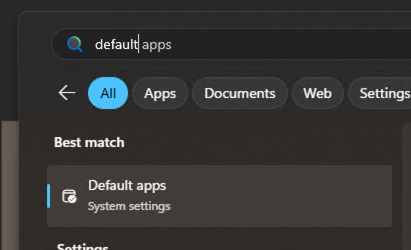
1. Launch the Start Menu and search for Default Apps
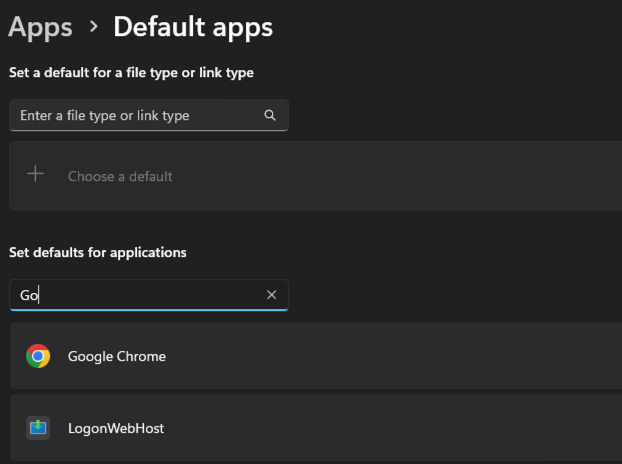
2. Search for the browser you wish to set as the default
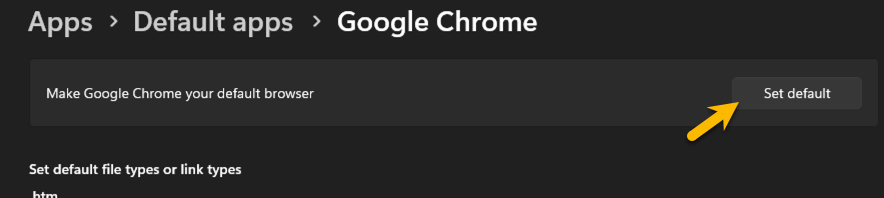
3. Choose the Set default option from the top to set the browser as your defuault browser
Was this article helpful?
That’s Great!
Thank you for your feedback
Sorry! We couldn't be helpful
Thank you for your feedback
Feedback sent
We appreciate your effort and will try to fix the article