Prerequisites
Prior to starting this process, you most likely will need to connect to your organization's VPN service first. Failure to do so may result in the inability to connect to your remote PC
Connecting
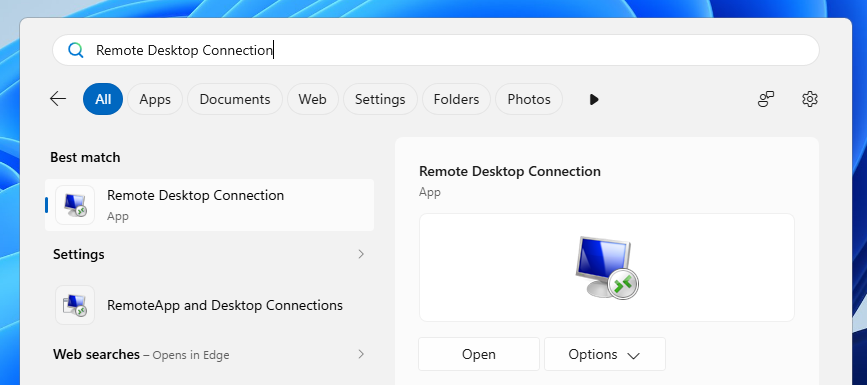
- Search for the Remote Desktop Connection app on your PC. It should look similar to the one pictured below:
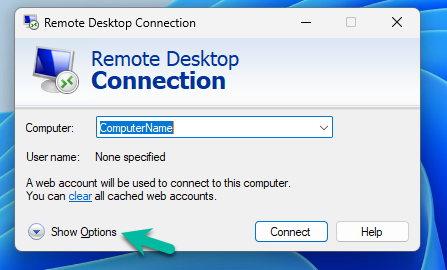
- In the Computer prompt, enter the name of your computer. If you do not know your computer name, contact your helpdesk. After entering your computer's name, choose the Show Optionslink in the lower left hand corner
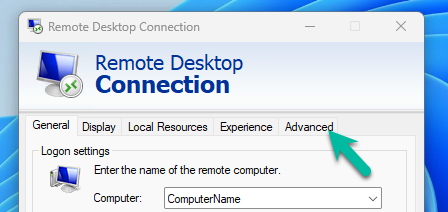
- Select Advancedfrom the menu bar
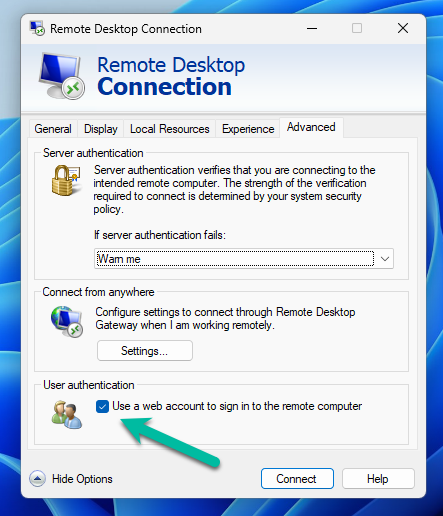
- Under the User Authentication heading, ensure that the box next to Use a web account to sign in to the remote computeris checked
- Choose Connect
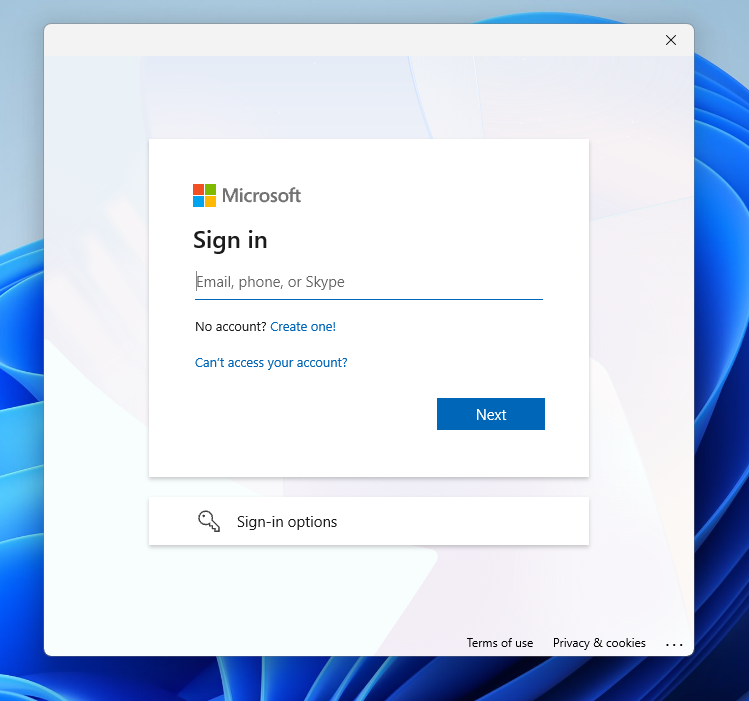
- Upon connection, you will be prompted to sign in with your organization Email, Password, and Multi-Factor Authentication
Was this article helpful?
That’s Great!
Thank you for your feedback
Sorry! We couldn't be helpful
Thank you for your feedback
Feedback sent
We appreciate your effort and will try to fix the article