Microsoft is encouraging users to take advantage of passwordless logon with Microsoft 365. Not only does it improve security, but it also streamlines the logon process with no more passwords to remember.
When logging on from a computer, choose Sign-in options and choose
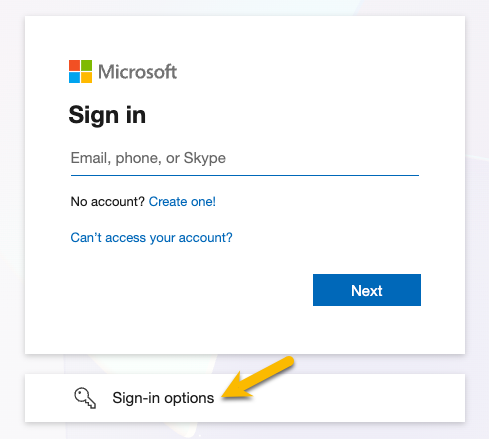
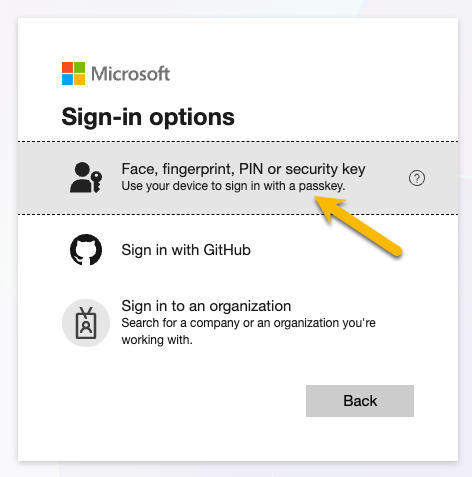
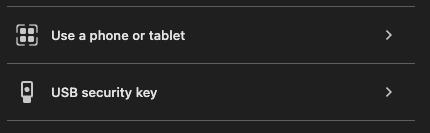
Choose if you will be signing in with a Security Key or Phone. In this example, we will be signing in using our iPhone.
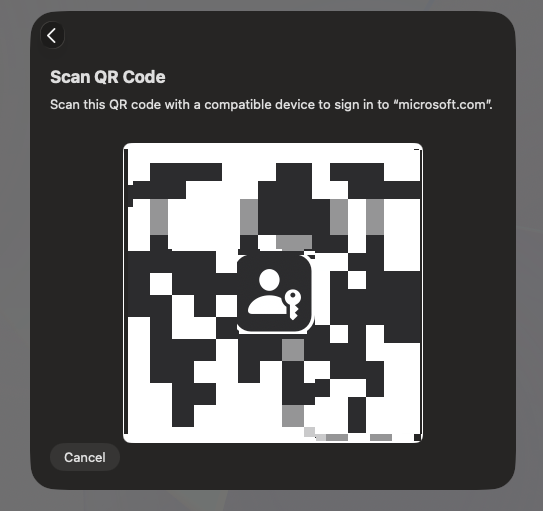
When presented with the sign-in QR code, open the Camera app on your iPhone and scan the code
You will need to tap the Sign in with a passkey option when prompted

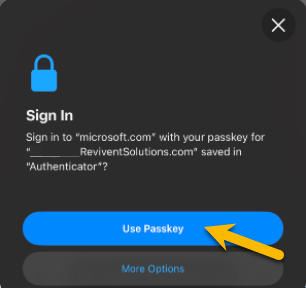
Finally, choose the Use Passkey option on your phone
Was this article helpful?
That’s Great!
Thank you for your feedback
Sorry! We couldn't be helpful
Thank you for your feedback
Feedback sent
We appreciate your effort and will try to fix the article